Add OAuth to your MCP server with Supabase Auth
Supabase's OAuth Server beta as an MCP authorization server: the /auth/v1 issuer, ES256 keys, dynamic client registration, and the dashboard toggle that only the Management API can flip. Executed live against a real project.
supabase · updated 2026-08-22
Supabase Auth grew an OAuth Server feature (beta) that makes your project
an OAuth 2.1 authorization server: if you already keep users in Supabase,
your MCP connector can log in with them directly. We enabled it on a fresh
project, hit one real dashboard bug (with the workaround), and validated an
ES256 Supabase JWT inside a Worker MCP server. Testbed:
https://qo-test-supabase.rough-disk-9b56.workers.dev/mcp.
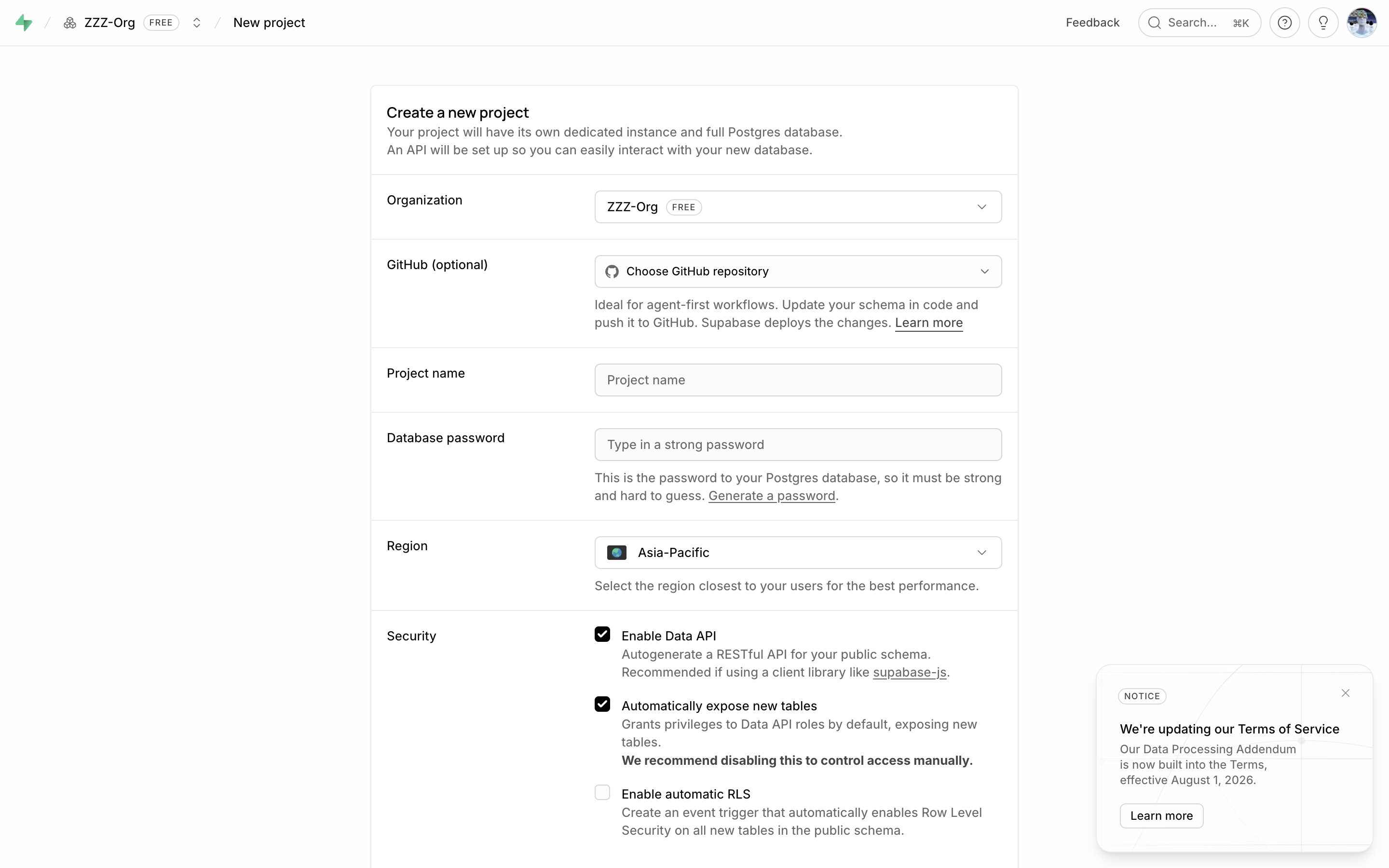
1. Project setup
Sign-up is free (GitHub/ChatGPT OAuth or email+password; the email path is behind an hCaptcha). Create a project; the free plan is plenty.
2. Enable the OAuth server
Authentication → Configuration → OAuth Server (BETA): toggle it on. The page then reveals the endpoints:
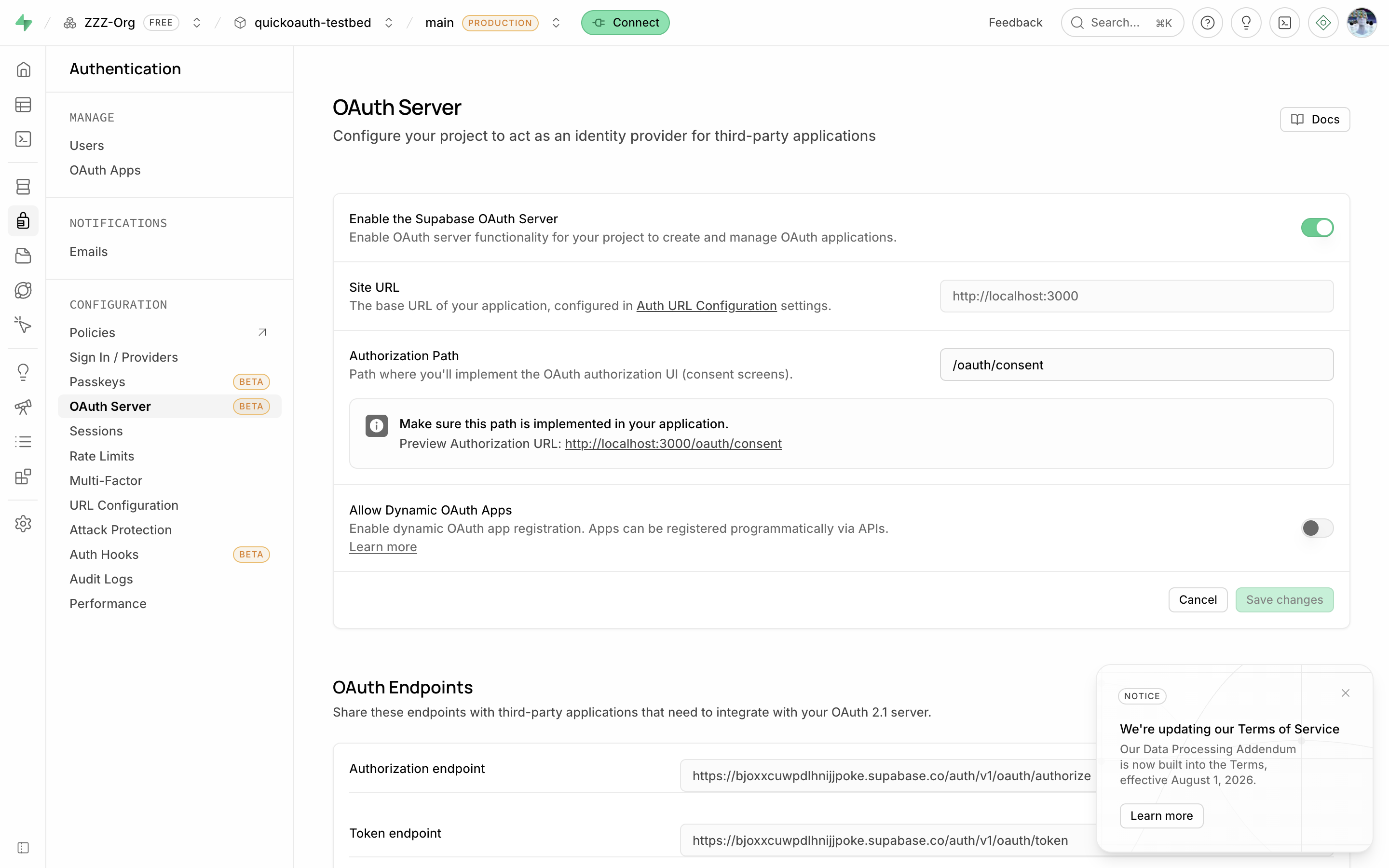
- Authorization endpoint:
https://<ref>.supabase.co/auth/v1/oauth/authorize - Token endpoint:
https://<ref>.supabase.co/auth/v1/oauth/token - JWKS:
https://<ref>.supabase.co/auth/v1/.well-known/jwks.json - Discovery:
…/auth/v1/.well-known/openid-configurationand…/auth/v1/.well-known/oauth-authorization-server
The Authorization Path is a route in your app (we used /authorize)
where you render login + consent with supabase-js; Supabase redirects
there, your page calls the approve API. Set your Site URL (Auth → URL
Configuration) to the app that hosts it.
3. The issuer lives under /auth/v1
The issuer is https://<ref>.supabase.co/auth/v1, not the project root.
Your protected-resource metadata must advertise exactly that in
authorization_servers, and clients will fetch
/auth/v1/.well-known/oauth-authorization-server relative to it. Both RFC
8414 and OIDC discovery documents are served; S256 is supported;
registration_endpoint appears once DCR is on.
4. Dynamic client registration, and the toggle that wouldn’t stick
The “Allow Dynamic OAuth Apps” switch in the dashboard refused to persist for us (beta UI bug: click, save, still off). The Management API sets the same field reliably:
curl -X PATCH https://api.supabase.com/v1/projects/$REF/config/auth \
  -H "Authorization: Bearer $SUPABASE_ACCESS_TOKEN" \
  -H 'content-type: application/json' \
-d '{"oauth_server_allow_dynamic_registration": true}'($SUPABASE_ACCESS_TOKEN is a personal access token from Account → Access
Tokens.) Then registration works exactly the way Claude does it:
curl -X POST https://$REF.supabase.co/auth/v1/oauth/clients/register \
  -H 'content-type: application/json' -d '{
  "client_name": "probe",
  "redirect_uris": ["https://claude.ai/api/mcp/auth_callback"],
  "token_endpoint_auth_method": "none",
  "grant_types": ["authorization_code", "refresh_token"]
}'
# → 201, uuid client_id, "registration_type": "dynamic", no null fields
Registered apps appear under Authentication → OAuth Apps. There’s no RFC 7592 management URI in the response, so probe clients accumulate until you delete them in the dashboard.
5. Validate the tokens: ES256, aud is not your URL
Two things break naive JWT middleware here:
- Supabase signs with ES256 (P-256), not RS256, so make sure your verifier imports EC keys from the JWKS. (Projects still on the legacy shared-secret HS256 setup must migrate to JWT signing keys first.)
audis"authenticated"(the Supabase role), not your MCP URL; validateiss+ signature +exp, not audience-as-resource.
The rest is the standard resource-server contract: PRM document, 401 with a
WWW-Authenticate challenge, 401 for garbage tokens.
6. Headless proof for CI
You never need a browser to prove the chain: enable
mailer_autoconfirm (Management API), create a user, and use the classic
password grant with your project’s anon key:
curl -X POST "https://$REF.supabase.co/auth/v1/token?grant_type=password" \
  -H "apikey: $ANON_KEY" -H 'content-type: application/json' \
  -d '{"email":"demo@example.com","password":"…"}'
The access_token that returns is the same ES256 JWT the OAuth server
issues; send it to your MCP endpoint. Our RL suite replays discovery, DCR,
token mint, and the authenticated MCP call against this project on every
deploy: 92 live checks across five deployments at the time of writing.
Next steps
To take this from testbed to your real connector:
- Build the
/authorizeconsent page withsupabase-jsat your configured authorization path; that’s the one piece this guide stubs. - Run the four-curl self-test from the connector checklist, remembering every well-known URL lives under
/auth/v1. - Connect in claude.ai under Customize → Connectors; then widen the allowlist for ChatGPT and Grok with one server, three connectors.
The Supabase OAuth prompt (supabase-oauth-mcp) hands the whole sequence to your agent, Management-API workaround included. If a step fails, use debugging connector failures. To compare providers, see Auth0 and Stytch, or go fully self-hosted with Hydra.
Metadata
- Commit
- c6eb99c
- Browser
- —
- Current Time
- —
- Dimensions
- —
- Source
- guides
- Last Updated
- 2026-08-22